 LAIINA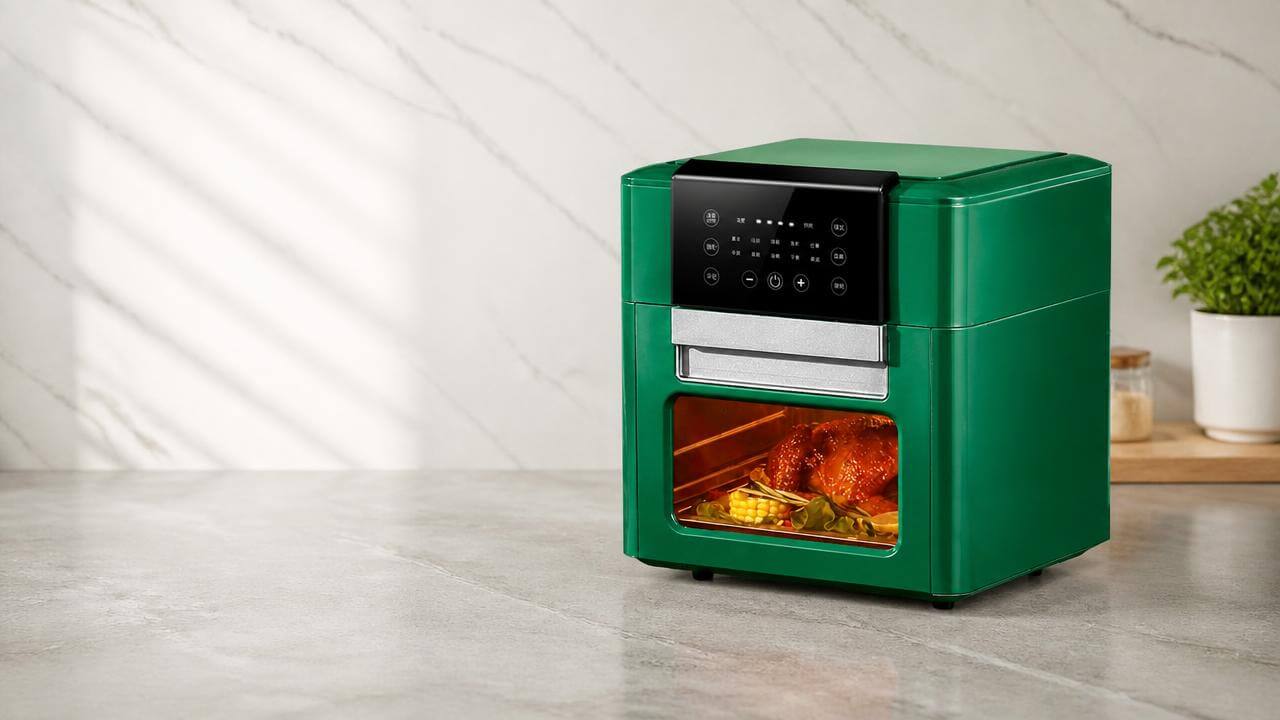
If you are sourcing a private label air fryer for Amazon, retail, or cross-border e-commerce, the control panel will show up in your product photos long before the customer tests the basket. A panel that looks neat on a render can still cause problems if the layout is crowded, the icons are unclear, or the language does not fit your market.
That is why an air fryer control panel OEM brief should be agreed before sampling starts. You are not only choosing a panel style. You are also confirming the layout, wording, icons, and localized UI so your factory can reproduce the same version without guesswork.
air fryer control panel OEM: Which Panel Format Fits Your Order?
Before you ask for a quotation, decide which control panel format matches your sales channel. A dial panel is often enough for basic SKUs. A button panel gives you more room for preset functions and clearer wording. An air fryer touch panel can create a cleaner premium look, but the artwork needs tighter approval because the UI has to stay readable on the finished unit.
For private label buyers, the practical question is simple: which format will your customers understand at a glance? If your listing images need a more polished presentation, compare the control style with the rest of your product page and the wording you plan to use. You can review related air fryer models to see how different control styles change the overall product presentation.
| Panel format | Best fit | What to verify before sampling |
|---|---|---|
| Dial | Simple, entry-level, easy-to-read positioning | Rotation direction, mark visibility, temperature and time range labels |
| Button | Mid-range private label air fryer projects | Button wording, icon order, key spacing, preset logic |
| Touch-screen | Feature-rich launch or premium appearance | Font size, icon clarity, backlight, localized UI, screen layout |
What Localization Details Should You Confirm Before Sampling?
Localization is where many panel projects lose time. Before sampling, confirm the exact language set, unit format, and icon style for your target market. If your order is for English-speaking buyers, a clean English UI may be enough. If you sell across regions, you may need a panel that supports more than one language or a layout that avoids too much text.
For OEM and private label work, align the panel brief with your OEM/ODM cooperation page request so the supplier can prepare the right artwork from the start. That saves you from redoing the sample because the display language, key order, or printed markings do not match your market plan.
- Confirm the exact panel language and whether abbreviations are acceptable.
- Check temperature and time units, including whether the market prefers °C, °F, or both.
- Approve the preset names, icon order, and any warning symbols before tooling or printing.
- Make sure brand name placement does not crowd the controls or reduce readability.
- Ask whether the factory can send a panel artwork proof for sign-off before sample assembly.
Readability and Usability Checks That Affect Retail Conversion
A panel can be technically correct and still look weak in a listing photo. For cross-border e-commerce, buyers often judge the product from the first image, so readability matters as much as function. Check font size, icon contrast, screen brightness, and how the buttons or touch zones are arranged on the control panel layout.
If the display is hard to read in daylight or the symbols blend into the background, your product can look less polished than competing listings. This matters for an OEM air fryer option aimed at online buyers, because unclear UI design can reduce trust before anyone reads the full description.
Practical checks for the sample stage include:
- Can the temperature, timer, and preset labels be read at normal viewing distance?
- Do the icons still make sense if the product photo is compressed for marketplace use?
- Is the screen or printed panel busy enough to distract from your brand name?
- Do the keys or touch areas look balanced, or do they feel crowded?
Which Labeling, Units, and Icons Should Match Your Target Market?
Panel labeling should match how your buyers search and shop. If your target market uses English, keep the wording short and familiar. If your customer base spans different regions, check whether icons can replace some text on the panel. That can make the UI easier to localize without redesigning the entire layout.
You should also verify whether the printed panel labels match the product’s market setup. For example, if your order includes different voltage versions or plug types for different regions, the panel artwork and rating information should still be consistent with the destination market. If your market requires CE, CB, RoHS, LFGB, ETL, or UL-related checks, treat those as a buyer checklist item and confirm where any required markings may appear.
Do not approve a symbol, preset title, or unit format only because it looks fine on a mockup. Ask for a full localization review, especially if the private label air fryer will be sold in more than one channel and each channel has different expectations.
What Should You Check Before Mass Production Starts?
Once the panel design is ready, sample approval should focus on details you can verify without guessing. A clear sign-off process helps you avoid rework later, especially when the control panel is printed, backlit, or built around a touch interface. The sample should reflect the final artwork, not a rough placeholder.
- Approve the exact panel layout, not just the general style.
- Confirm every label, icon, and preset name on the sample photo.
- Check the font size and spacing on the actual unit, not only on a drawing.
- Review the localized UI in the final target language before mass production.
- Keep one signed version of the panel proof so the production team follows the same version.
Quick approval table
| What to approve | What to ask for | Why it matters |
|---|---|---|
| Artwork proof | Panel drawing with all labels and icons visible | Prevents layout changes after sample confirmation |
| Language set | Exact wording for each key and preset | Reduces localization mistakes |
| Photo proof | Front-view sample photos in normal light | Shows readability and spacing clearly |
Should I choose a dial, button, or touch-screen panel for a first private label launch?
Choose the simplest format that fits your target market and brand position. A dial or basic button panel is often easier to approve because there are fewer labels and fewer UI decisions. A touch-screen can support a more premium look, but it usually needs tighter artwork control, stronger readability checks, and more sample rounds before you are ready to order.
What localized UI details should I lock before I place a sample order?
Lock the language, preset names, icon set, temperature and time units, and any brand-specific wording before sampling. If you sell in more than one market, ask whether the panel can support a localized UI version without changing the main layout. This helps you avoid approving a sample that looks correct in English but does not fit the destination market.
What should I request from an OEM air fryer factory before approving the panel?
Ask for a clear artwork proof, a front-view sample image, and written confirmation of the exact labels that will be used on production units. If the project is for OEM or private label work, confirm that the factory is following the same control panel layout and wording you approved. This keeps the final product aligned with your quotation and sample sign-off.
How do I reduce mistakes when my target market uses different units or languages?
Use one master approval file that lists the market, language, units, and icon rules for each version. Do not rely on one visual mockup for all regions. If you need a simplified launch, keep the layout short and avoid extra text where icons can do the job. This makes the panel easier to localize and easier for your team to review.
Before you request the first sample, make the panel decision as specific as possible: format, language, icons, and unit display. If you want to move from a rough idea to a market-ready brief, start with Laiina’s air fryer selection, then send your panel requirements for review through the contact page.
Need Air Fryer Options for Your Market?
Send your target market, quantity, voltage, plug type, logo and packaging requirements. Laiina can help you compare suitable models and prepare a clearer B2B quotation before you confirm your order.